> For the complete documentation index, see [llms.txt](https://docs.gaiodataos.com/llms.txt). Markdown versions of documentation pages are available by appending `.md` to page URLs; this page is available as [Markdown](https://docs.gaiodataos.com/use-cases/financial-anomaly-detection.md).
# Financial Anomaly Detection
## Project Overview
This project demonstrates how to use Gaio DataOS to build an application that detects financial anomalies based on given financial transaction information.
Using this application, users are able to:
* Import financial transaction data
* Detect, classify, and view analytics
* Insights regarding financial anomalies within their transactions.
***
## Development Steps
### 1. Data Extraction
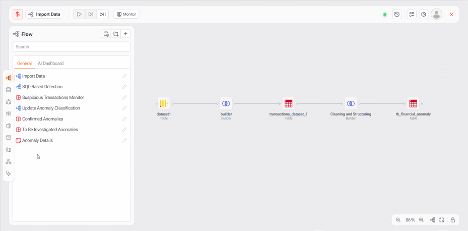
* Connects to **ClickHouse Cloud** or imports **CSV**
* Uses builder tasks in Gaio to:
* Import data
* Clean and transform data
* The import process ends in the flat table tb\_financial\_anomaly
***
### 2. Anomaly Detection
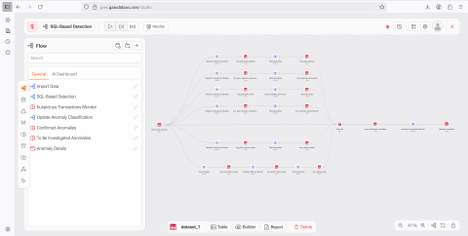
Detection logic is split into SQL builders to identify:
* `Large Expense`
* `Duplicate Transaction`
* `After Hours Transaction`
* `Repeat Reimbursement`
* `Revenue Spike`
* `Refund Surge`
Each detected anomaly receives:
* A **severity score**
* A unique **`anomaly_id`**
* Enriched metadata
> 💡 **Note:** If multiple anomalies occur in the same transaction, each one receives a different `anomaly_id`.
Final consolidation into: **`detected_anomalies`**
***
### 3. Dashboards and Interfaces
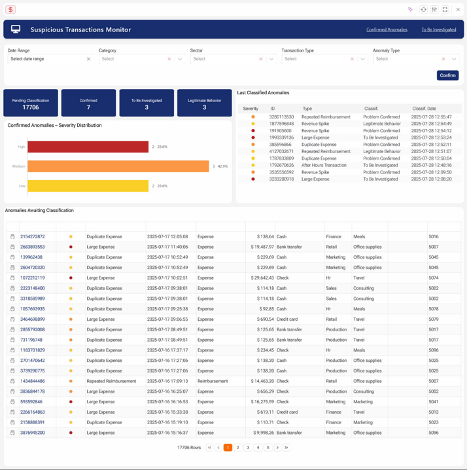
#### 3.1 Suspicious Transactions Monitor
* Uses the detected\_anomalies and anomaly\_classification\_history tables.
* Analytics like count of anomalies, number of each classification type, and distribution of anomaly severity are created using Report tasks and displayed on the dashboard
* A set of filters is created using the Form task to allow a user to filter by date, transaction type, sector, category, and payment type
* There is also a flat table that shows most recent classifications and a table showing all anomalies that need to be classified
* Using the anomalies awaiting classification table, users can classify an anomaly or view more specific anomaly details by clicking on its ID.
***
#### 3.2 Anomaly Classification
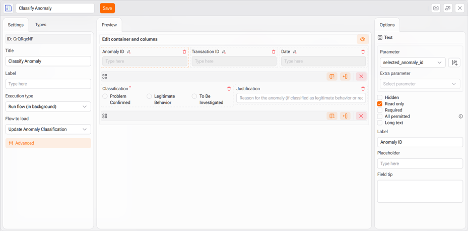
* By clicking the leftmost icon in the anomalies awaiting classification table, users can classify an anomaly using the form task
* Some fields in the form will auto-complete with information from the chosen anomaly using parameters
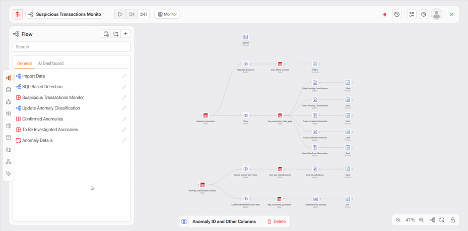
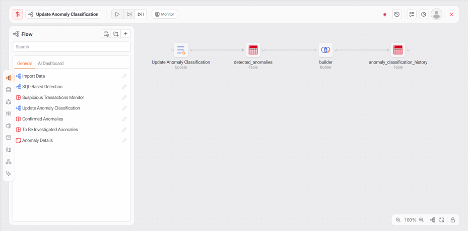
* When the Form is submitted, the Update Anomaly Classification process will run, this process is comprised of two major parts:
* Update task edits the current anomaly row in the detected\_anomalies table
* Incremental builder task adds a new row with the anomaly and classification to the anomaly\_classification\_history table
***
#### 3.3 Anomaly Details
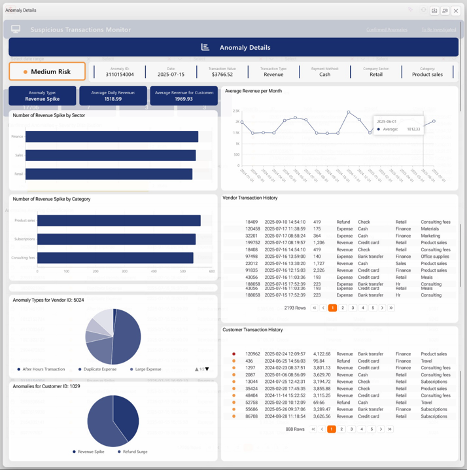
* Clicking an `anomaly_id` opens a **dedicated dashboard**
* Tables used:
* `detected_anomalies`
* `tb_financial_anomaly`
* Uses parameters for dynamic filtering
Includes:
* Risk level card
* Insights based on anomaly type
* Charts:
* Line chart (monthly averages)
* Bar (by sector, category)
* Pie (by customer/vendor)
* Transaction history table
* Styled using **HTML & CSS**
***
#### 3.4 Confirmed and Under Investigation Dashboards
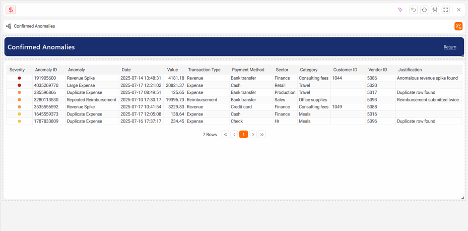
* Two dedicated dashboards using `detected_anomalies`
* Show:
* Confirmed anomalies
* Pending anomalies
* Built with **Report Task**
***
### Technologies Used
* Visual ETL workflows in Gaio DataOS
* Temporary and Final Tables for data versioning
* Report and Content tasks to create adaptive, visually interesting dashboards
* Dynamic Dashboards with filters, graphs, and tables
* HTML and CSS for stylized and user-responsive dashboard elements
* Form Task to allow for anomaly classification without leaving the dashboard
* Parameters for data pass through enabling easy navigation of the dashboard
***
### Expected Outcomes
* Faster development of anomaly detection logic
* Centralized monitoring dashboards
* Better financial control and audit tracking
* Secure access via permissioned users/groups
***
### Download this project
{% file src="/files/cVCgQPURoPrCyL4fmLZT" %}
{% file src="/files/kKdwuJosibZBIusEjlsU" %}