> For the complete documentation index, see [llms.txt](https://docs.gaiodataos.com/llms.txt). Markdown versions of documentation pages are available by appending `.md` to page URLs; this page is available as [Markdown](https://docs.gaiodataos.com/tools/tasks/etl/source-sql.md).
# Source SQL
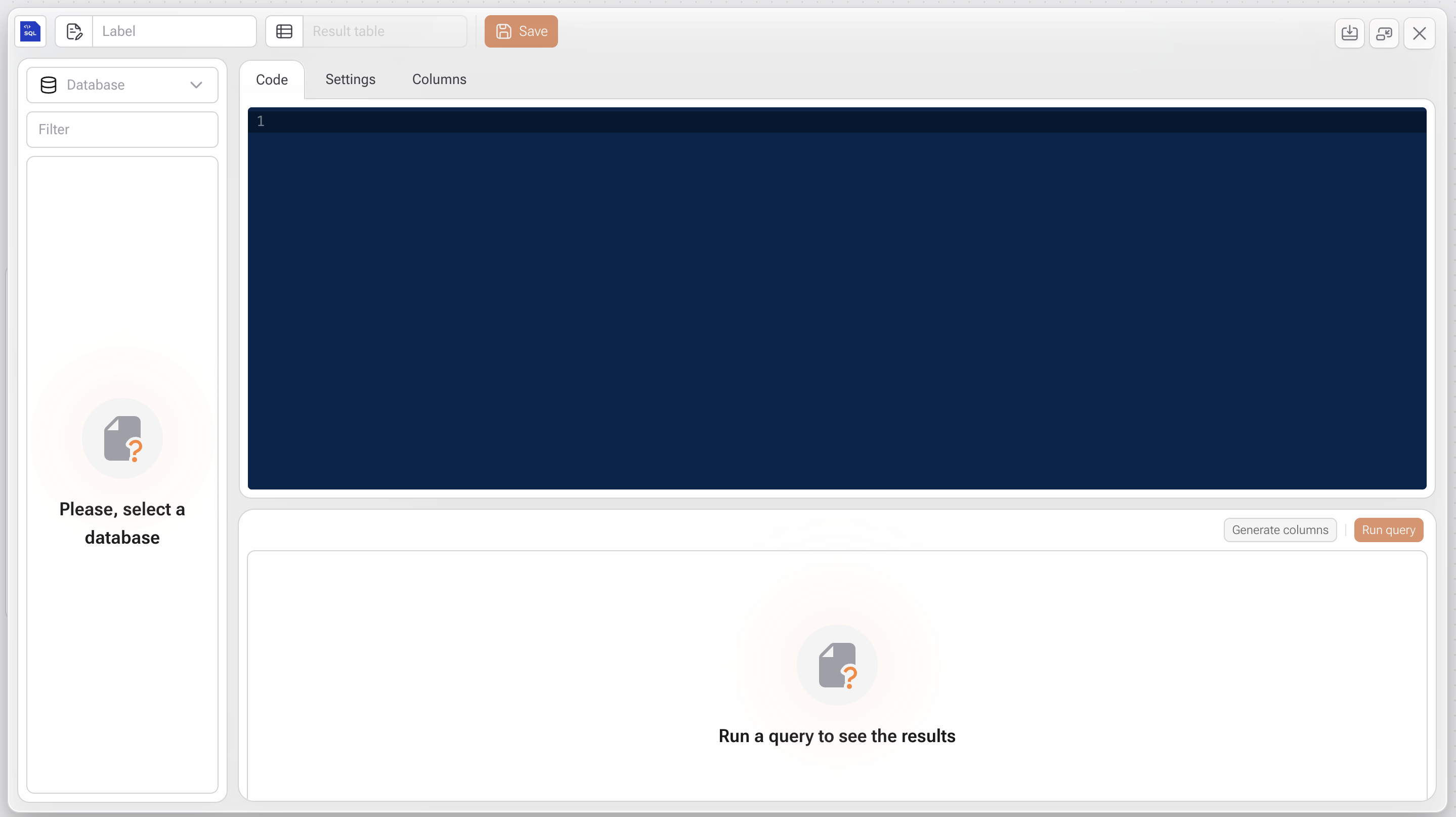
The **Source SQL** task allows you to run SQL queries directly on databases connected to Gaio DataOS.\
It is ideal for extracting, transforming, or importing data from external sources (such as relational databases) into your project for use in data flows, analysis, and dashboards.
***
## How to Use
### **1. Open the Task**
Navigate to: **Tasks > ETL > Source SQL**
***
### **2. Select a Database**
In the left-side panel:
* Select a database previously registered in the environment and released for your user ID.
* Once selected, all available tables from that source will be displayed.
***
### **3. Write the SQL Code**
In the **Code** tab:
* Type or paste your SQL query.
* You can use advanced SQL syntax, including `JOIN`, `WHERE`, `GROUP BY`, `CTEs`, and more.
{% hint style="info" %}
Use **Run query** to test the results before saving the task.
{% endhint %}
***
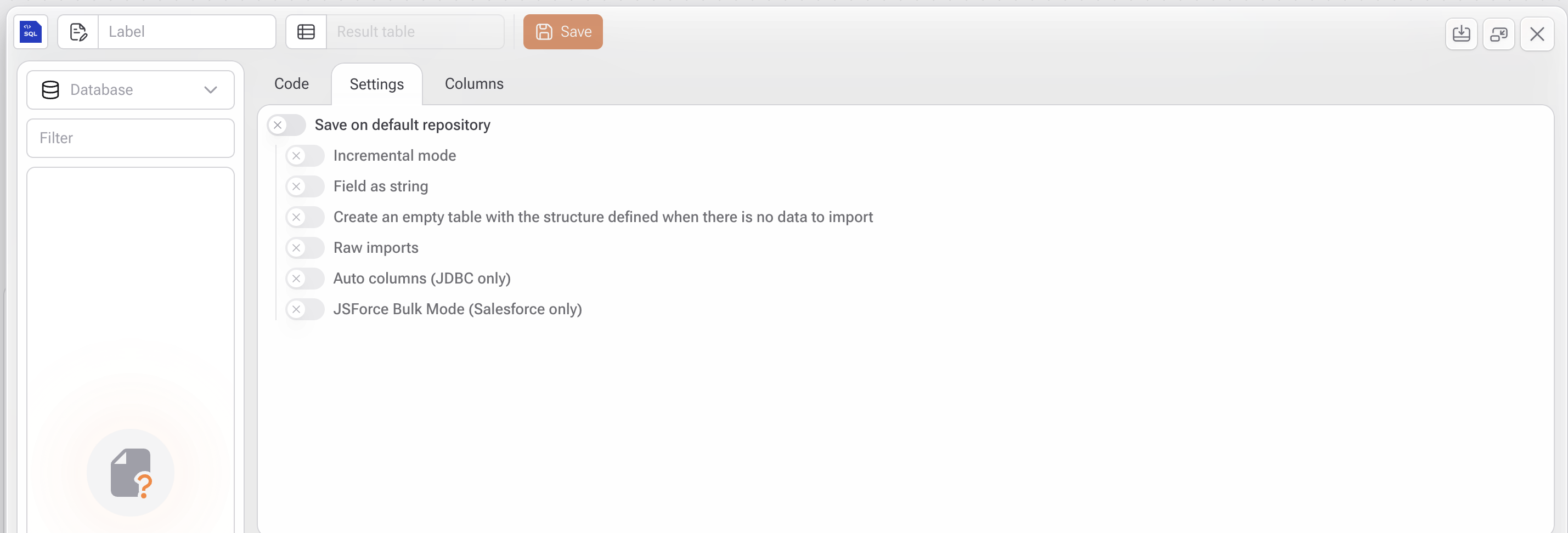
### **4. Settings (Settings Tab)**
* **Save on default repository:** Saves the query result as a table in the project’s local repository.
* **Incremental mode:** Only imports new records when applicable.
* **Field as string:** Converts all fields to text.
* **Create an empty table when no data:** Creates the table structure even if the query returns no data.
* **Raw imports:** Imports data without automatic formatting.
* **Auto columns (JDBC only):** Automatically detects column structure (JDBC connections only).
* **JSForce Bulk Mode (Salesforce only):** Optimizes performance for bulk imports from Salesforce.
{% hint style="warning" %}
These options are especially useful for managing schema and performance in external database integrations.
{% endhint %}
***
### **5. Columns Tab**
* This tab becomes available only if **Save on default repository** is enabled.
* Manually define column names and types for the resulting table if you don’t want them to be automatically detected.
***
### **6. Save and Run**
* Click **Save** to add the task to your flow.
* You can then link this step to additional tasks (such as transformation, visualization, or export).
***
#### Use Cases
* Querying live data from an external source (e.g., MySQL, PostgreSQL, Oracle, SQL Server)
* Importing legacy system or ERP data via SQL
* Transforming data before ingestion directly through SQL
* Automating integrations with enterprise databases using custom queries